Displaying static message on p4 80*40 scantype 20 with esp8266

Hello everyone,
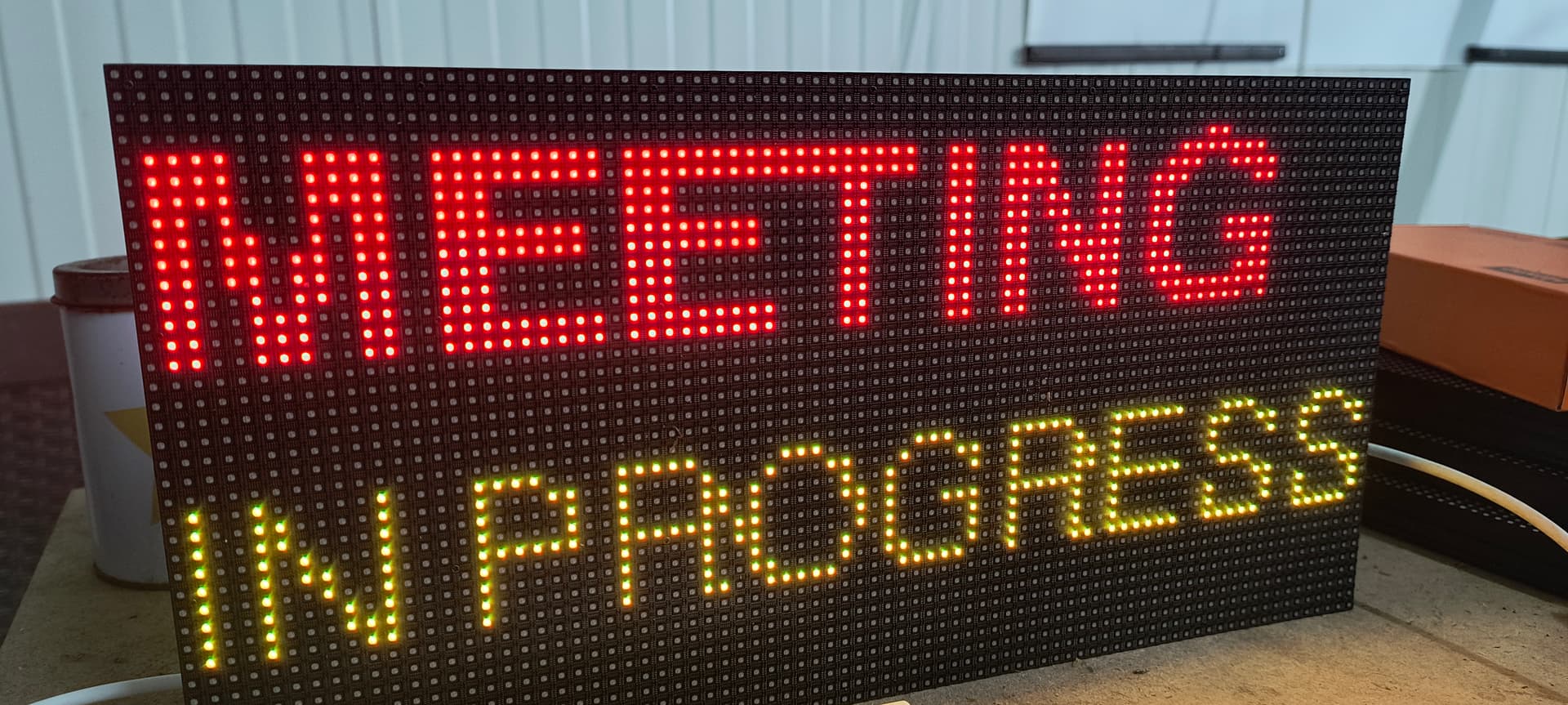
I am working on a small project using an ESP8266 and a P4 LED matrix panel (80×40 pixels, 1/20 scan). My goal is to display a static message (no scrolling or animations), for example “MEETING” on the top line and “in progress” below it.

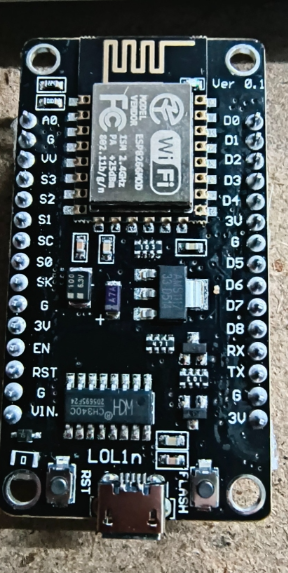
I am currently using the PxMatrix library and Adafruit GFX fonts (e.g. FreeSansBold12pt7b) to get a clear and readable result. The panel works, but I would appreciate help with correct wiring (pin connections, scan type considerations) and best practices in the code to ensure stable refresh, no flickering, and proper font rendering on a 1/20 scan panel.

If anyone has experience with ESP8266 + P4 (80×40) panels, especially regarding wiring or configuration details, your guidance would be very helpful. Thank you in advance.

#include <ESP8266WiFi.h>

#include <Ticker.h>

#include <PxMatrix.h>

Ticker display_ticker;

#define P_LAT 16

#define P_A 5

#define P_B 4

#define P_C 15

#define P_D 12

#define P_OE 2

PxMATRIX display(80, 40, P_LAT, P_OE, P_A, P_B, P_C, P_D);

uint8_t display_draw_time = 30;

void display_updater() {

display.display(display_draw_time);

}

void setup() {

WiFi.mode(WIFI_OFF);

WiFi.forceSleepBegin();

delay(1);

display.begin(16);

display_ticker.attach(0.002, display_updater);

display.fillScreen(display.color565(0, 0, 0));

display.setTextWrap(false);

display.setTextColor(display.color565(255, 0, 0));

display.setTextSize(1);

display.setCursor(18, 8);

display.print(“MEETING”);

display.setTextColor(display.color565(0, 255, 255));

display.setCursor(5, 23);

display.print(“in progress”);

}

void loop() { }

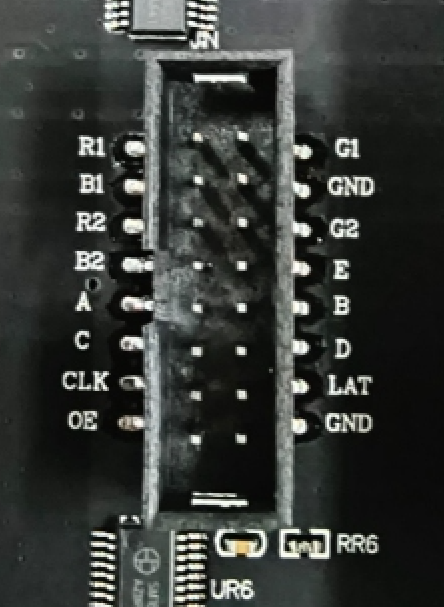
R1 → D7

G1 → R2

B1 → G2

R2 → R1

G2 → G1

B2 → B1

E → D3

A → D1

B → D2

C → D8

D → D6

CLK → D5

LAT → D0

OE → D4

GND → GND
To work with this panel you must to define a full set of ABCDE pins. As we can see in the code below, you omit to define the E line.

thanks for relpying, the main problem is that althought the definition of E to GPIO 0 D3.
always have some rows cutting.
and when i connect the E with D3 the display lose a lot of brightness.
also some random neightbors leds are on with random color.
i try the examples from library with no result. i always set uo 80x40 for the leds.
display begin 20 for the scan
and the E defined to 0 but when i i use this jumper connection always the things go worse.

for now the best result is the code i have at post.
but not the best

The code in your post above merely is not suited to 80x40 1/20 matrix. As I mentioned, you should to define a pin for E line and init display object with a correct scan rate.

Also keep in mind that a number of pins on the ESP8266 controller have limitations in their use, which is why these pins are not recommended for use:

Crucial Pin Restrictions (Boot Modes):

  • GPIO0 (D3): Must be HIGH at boot. Connected to FLASH button.
  • GPIO2 (D4): Must be HIGH at boot.
  • GPIO15 (D8): Must be LOW at boot.
  • GPIO16 (D0): Can be used as GPIO, but does not support analogWrite.
  • GPIO1/GPIO3 (TX/RX): Used for serial debugging; avoid using as GPIO

Because of the above, the 8266 controller simply doesn’t have enough pins for a direct connection. This is why the PxMatrix library uses a special connection scheme where all color pins are connected to one pin.

Some time ago I used esp8266 with HUB75 panels to test purpose… If you want, I can look at which pins I use to connect on the 8266 controller.
But I would recommend using an ESP32 or RP2040.

1 Like

thanks for the infos, i see that the GPIO 0 is a flash pin.
i will try with esp32.
thanks for replying! have a nice day!

Hi @tmagafas84
Were you able to run the panel on ESP32?

no i am still working on that, i have P4 with 80x40 leds, one is 10s and the other is 20s.
Before with library PxMatrix i had somehow a result with esp8266.
i tried a lot of combinations and code examples with esp32 with no luck.

i want to use 1 panel P4. and i read that i must bridge from the hub75 input with hub75 output so have a chain about R1,G1,B1,R0,G0,BO as a big one shift register when want to connect more of that module, so i dont need jumpers for my project. right?

i follow the wiring from library and some pre examples of it but no luck at all. i have the E with ESP32 GPIO 15

All have the same ground,
i dont know where to start and how to verify every step.
i think that i act right but the result is none.

i have SM5166PF led driver. is this common i think and compatible with library.

The chip SM5166 is not a led driver, it is “multiplexer”, i.e. row switching chip. For the driver type you have to look up other chips on the panel.
But taking into account the fact that you were able to output some letters to the panel, It seems that your panels are compatible with… what the library you using now?

so the SM16208SC is the driver?
I was trying with Pxmatrix mostly, and the Smart Matrix also.

with PxMatrix i made something good but i had the E channel to be not connected.
with Smart Matrix i had nothing.

i dont know if my board is not compatible.
i dont know if i had to use jumper beetween hub75 input and output.
i dont know which library i must use.

almost everything i google is about 64x32 and 16 scan.
i feel very confused.

Yes, SM16208sc is a driver, and SM5166 is a standard type multiplexer. Your panel doesn’t has any specific and should be compatible with any HUB75 library.

For ESP32 board I would recommend using ESP32-HUB75-MatrixPanel-DMA library. I don’t know much about Smart Matrix and I can hardly help with it.
You also could use a Raspberry Pico RP2040 board with DMD_STM32 library.

The panel sizes are just parameters that can be easily adjusted in code. There’s no fundamental difference between running 64x32 16s and 80x40 20s panels.

If you’re using libraries I know, I could help you with the setup. First, find the examples in the library and try running them. If you encounter any issues, please post here with the example code.

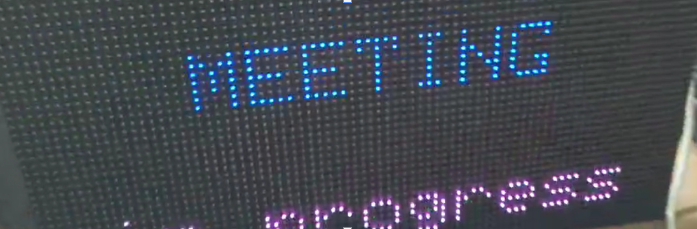
Finally i made it! but now i have another problem. Ihave tried different fonts for my task but the letters are not perfect. the code i am using is this one

#include <ESP32-VirtualMatrixPanel-I2S-DMA.h>

#include <Adafruit_GFX.h>

#include “FreeSansBold8pt7b.h”

#include “FreeSans6pt7b.h”

#define PANEL_RES_X 80

#define PANEL_RES_Y 40

#define PANEL_CHAIN 1

#define R1_PIN 25

#define G1_PIN 26

#define B1_PIN 27

#define R2_PIN 14

#define G2_PIN 12

#define B2_PIN 13

#define A_PIN 23

#define B_PIN 19

#define C_PIN 5

#define D_PIN 17

#define E_PIN 32

#define LAT_PIN 4

#define OE_PIN 15

#define CLK_PIN 16

MatrixPanel_I2S_DMA *dma_display = nullptr;

void setup()

{

Serial.begin(115200);

HUB75_I2S_CFG::i2s_pins _pins = {

  R1_PIN, G1_PIN, B1_PIN, R2_PIN, G2_PIN, B2_PIN,

  A_PIN, B_PIN, C_PIN, D_PIN, E_PIN,

  LAT_PIN, OE_PIN, CLK_PIN};

HUB75_I2S_CFG mxconfig(

  PANEL_RES_X, 

  PANEL_RES_Y, 

  PANEL_CHAIN, 

  \_pins        

);

dma_display = new MatrixPanel_I2S_DMA(mxconfig);

dma_display->begin();

dma_display->setBrightness8(255);

dma_display->clearScreen();

dma_display->setCursor(0, 8);

dma_display->setFont(&FreeSansBold8pt7b);

dma_display->setTextColor(dma_display->color565(0, 255, 0));

dma_display->print(“MEETING”);

dma_display->setCursor(0, 30);

dma_display->setFont(&FreeSans6pt7b);

dma_display->setTextColor(dma_display->color565(0, 255, 255));

dma_display->print(“IN PROGRESS”);

}

void loop()

{

delay(1000);

}

I assume you can add your own fonts to the library. Unfortunately, I have no experience with this; you’d be better off opening an issue on the library’s GitHub page and asking there.

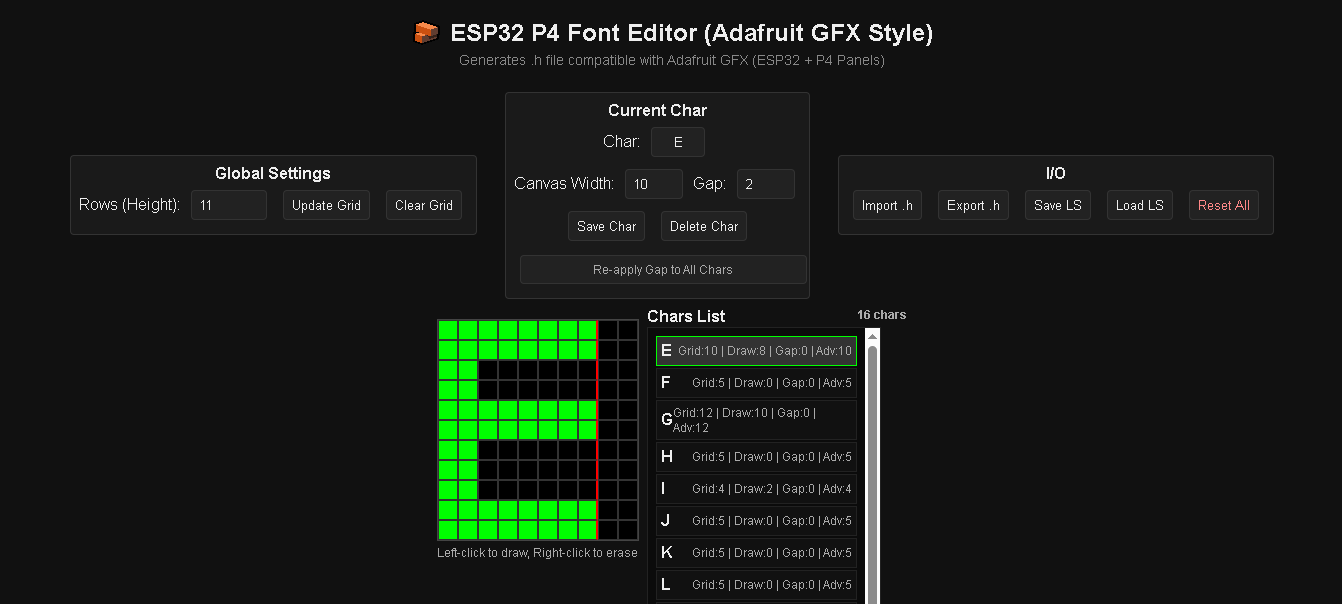
because i want a perfect copy, i tried many like these, and many others fonts so i finally make my own font generator. it is not perfect but it does the job for glyphs not bitmap.
i could share it if someone want it for export his own font or if he want to improve and update it.

https://tchapi.github.io/Adafruit-GFX-Font-Customiser/

1 Like